↩ index

Multi-tiered creator platform

600+ screens across three roles: user, creator, and admin, composed from a 100+ component system and shipped 0→1 in six months.

role
Product Designer
timespan
Jul, 2024 – Dec, 2024
team
Oen
scope
Cross-role model, ecommerce, ticketing, memberships, subscription plan workflow, design system
client
Fansta

Note: Fansta has since ceased operations.

Context

Oen gives creators a CRM-backed platform for selling, hosting events and running memberships. Fansta wanted a creator marketplace of their own on that foundation with three distinct roles. Every role's actions become constraints in the other two.

A creator's pricing structure decides what a fan sees at purchase. A fan's subscription status decides what appears in the creator's revenue dashboard. An admin's plan tiers decide what a creator can configure.

My role

I worked as sole designer on the project. I mapped the cross-role interaction model, designed interfaces for all three roles, and built the design system underneath them, working with product and engineering to hold the scope inside six months without letting three roles drift into three separate products.

Cross-role model

Users browse and buy, or join as members for premium content, and can apply to become creators, which routes to admin review. Creators configure digital and physical products, memberships and shipping methods, and track orders and revenue in the same panel. Admins run events, ticketing and booths, review applications, and set the plan tiers creators subscribe to.

Impact

Credit

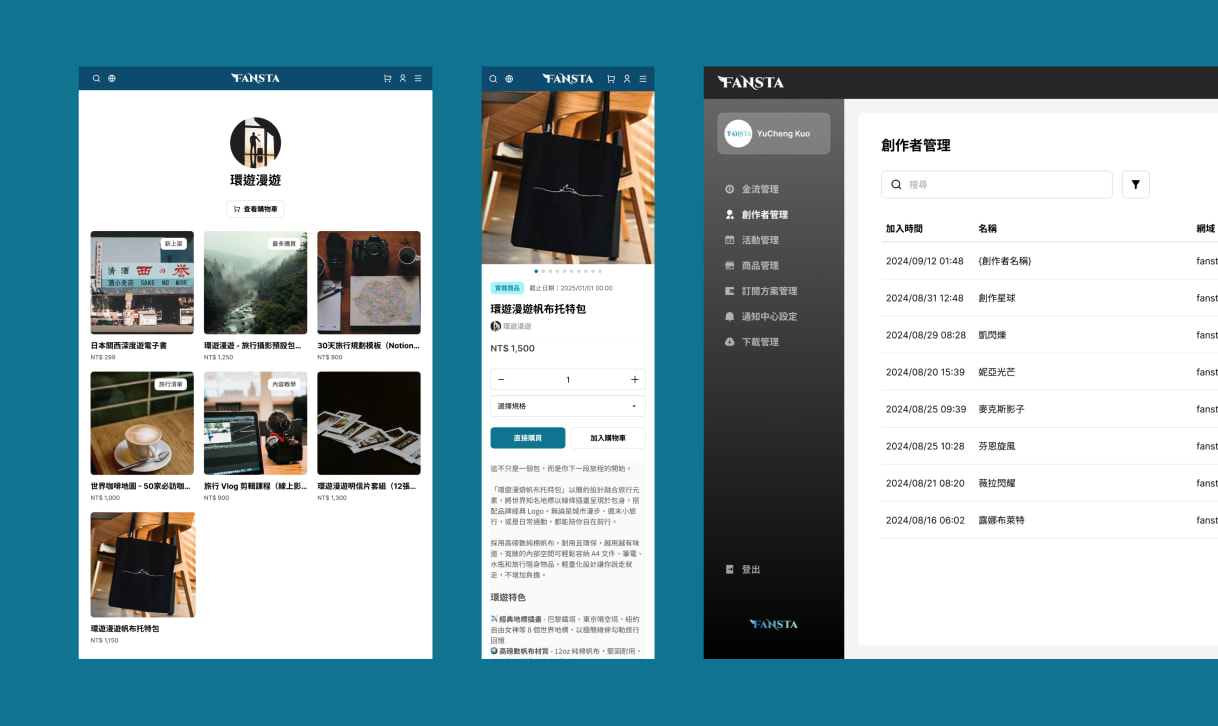
Three interfaces side by side: creator, user, and admin
[→][1] Creator, [2] User, [3] Admin → three roles, one systemCreators set up products; users browse and purchase; admins run the platform and host events.
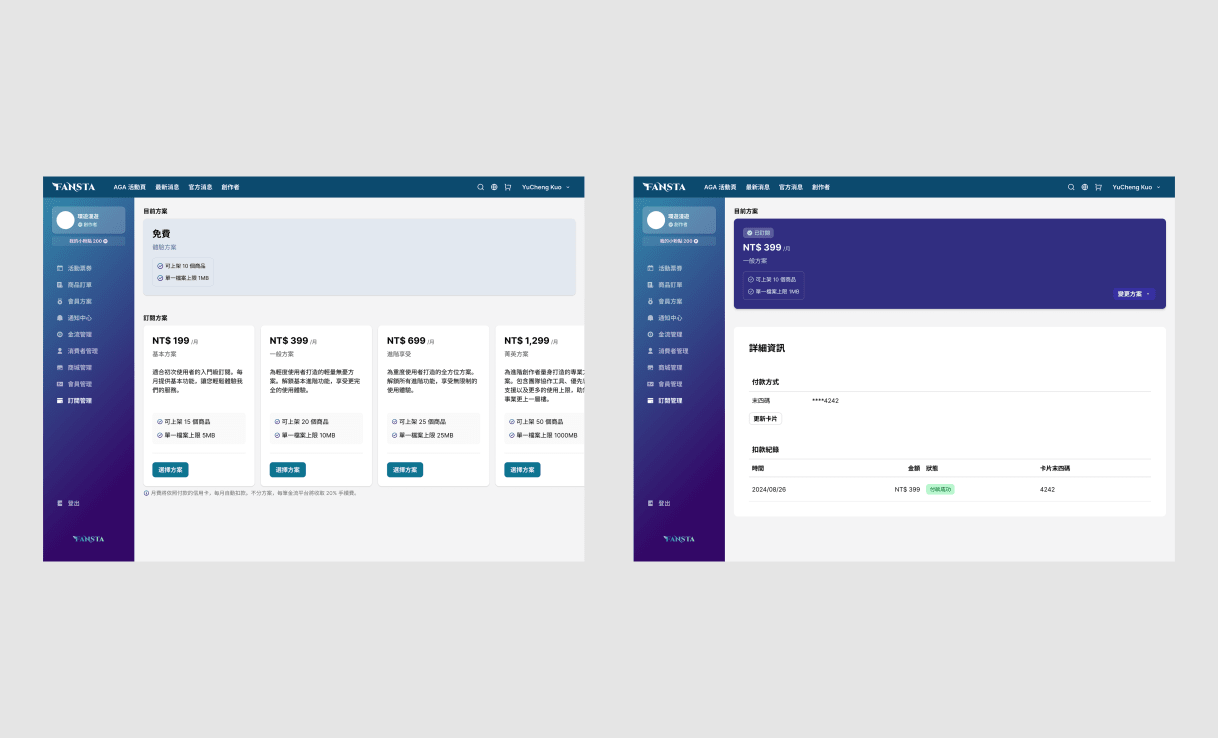
Two creator panels interfaces: one on the free plan listing available plans, one subscribed with payment details
[→]Creator subscription plansCreator features differ by plan, set in the admin panel
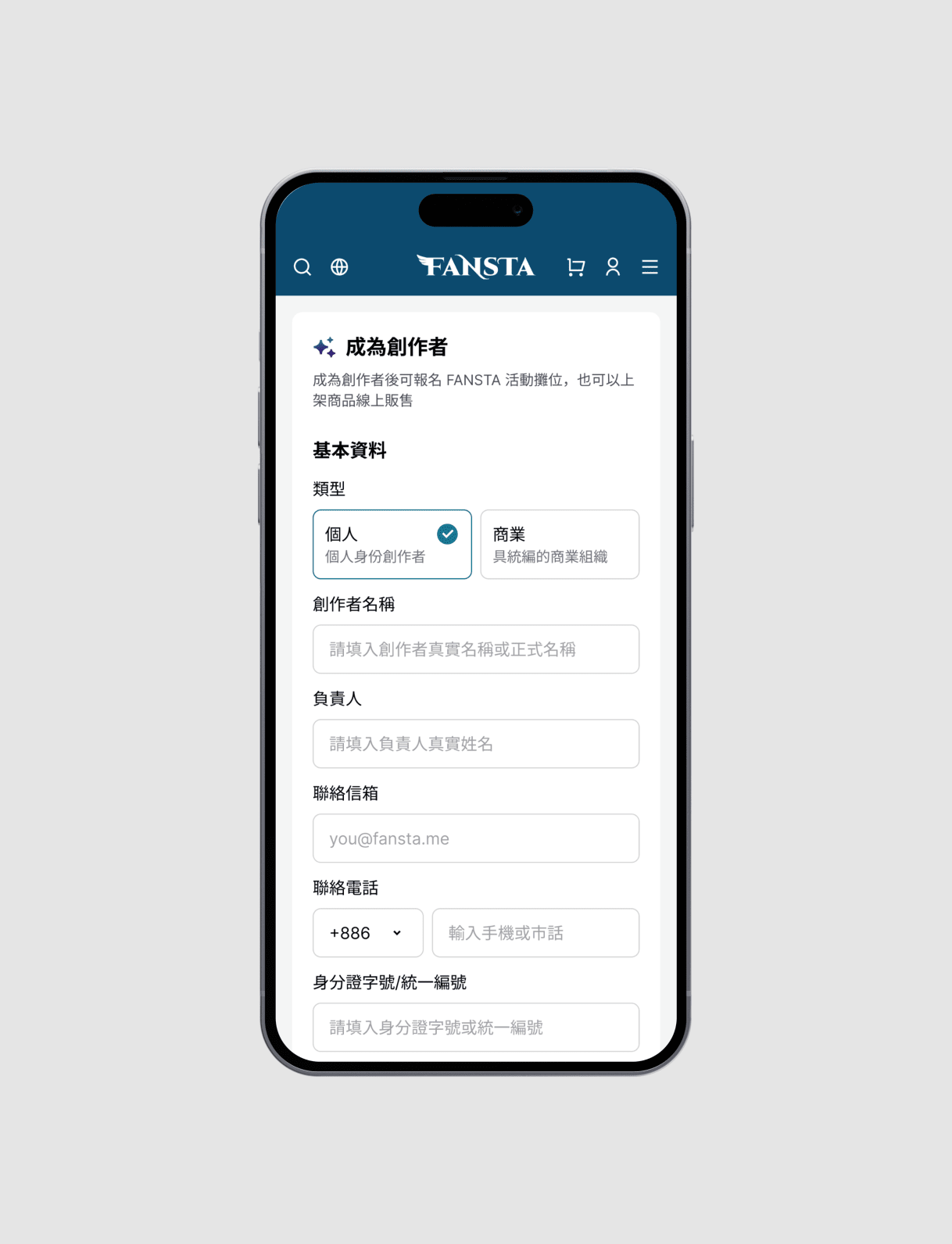
An interface mockup with iPhone showing an application form to become a creator and start monetizing work
[→]Creator application formThe fan → creator cross flow
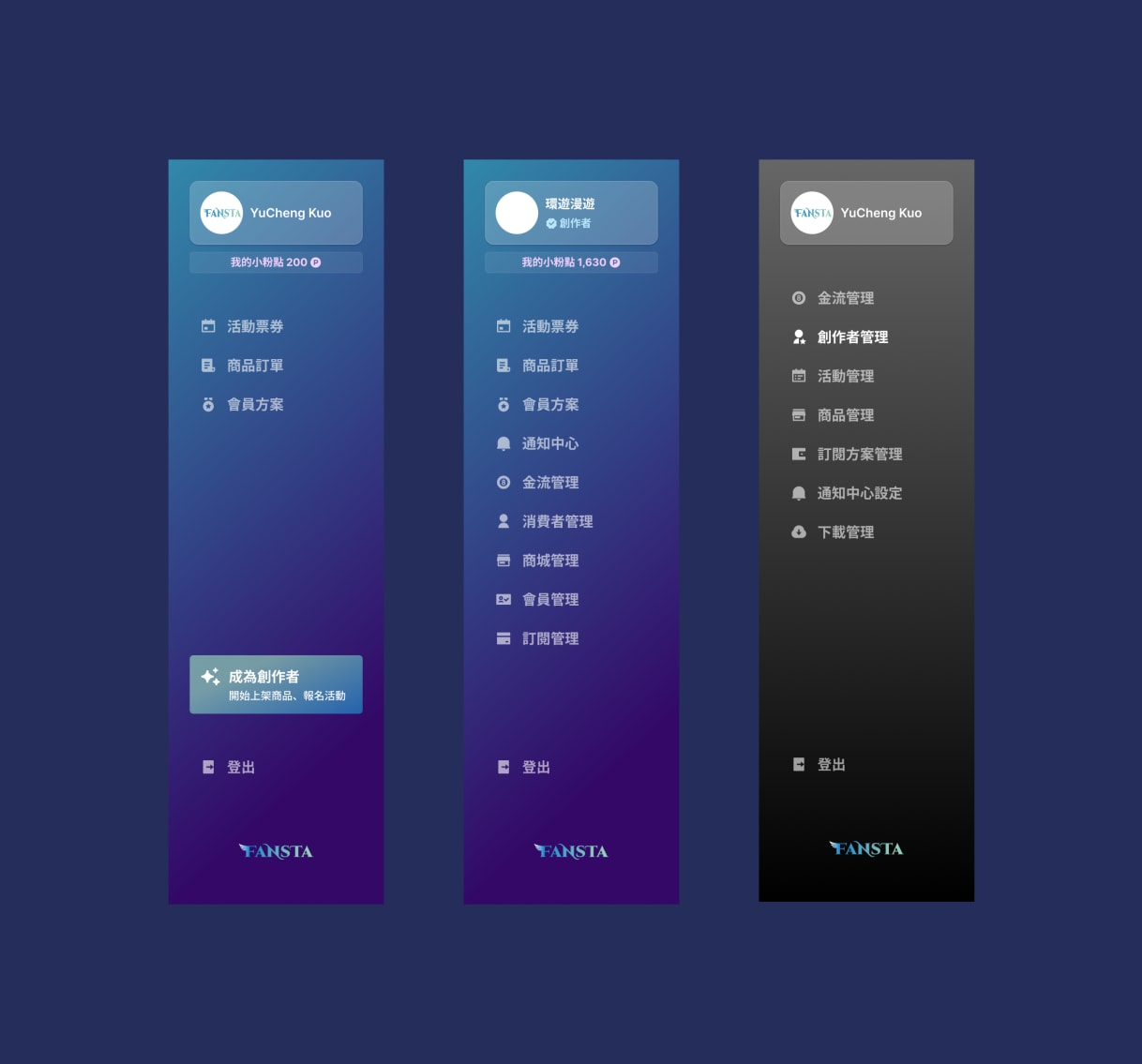
Three side menus — user, creator, and admin — with different items under one system
[→]Three permission levels for the side menu(1) User (2) Creator (3) Admin
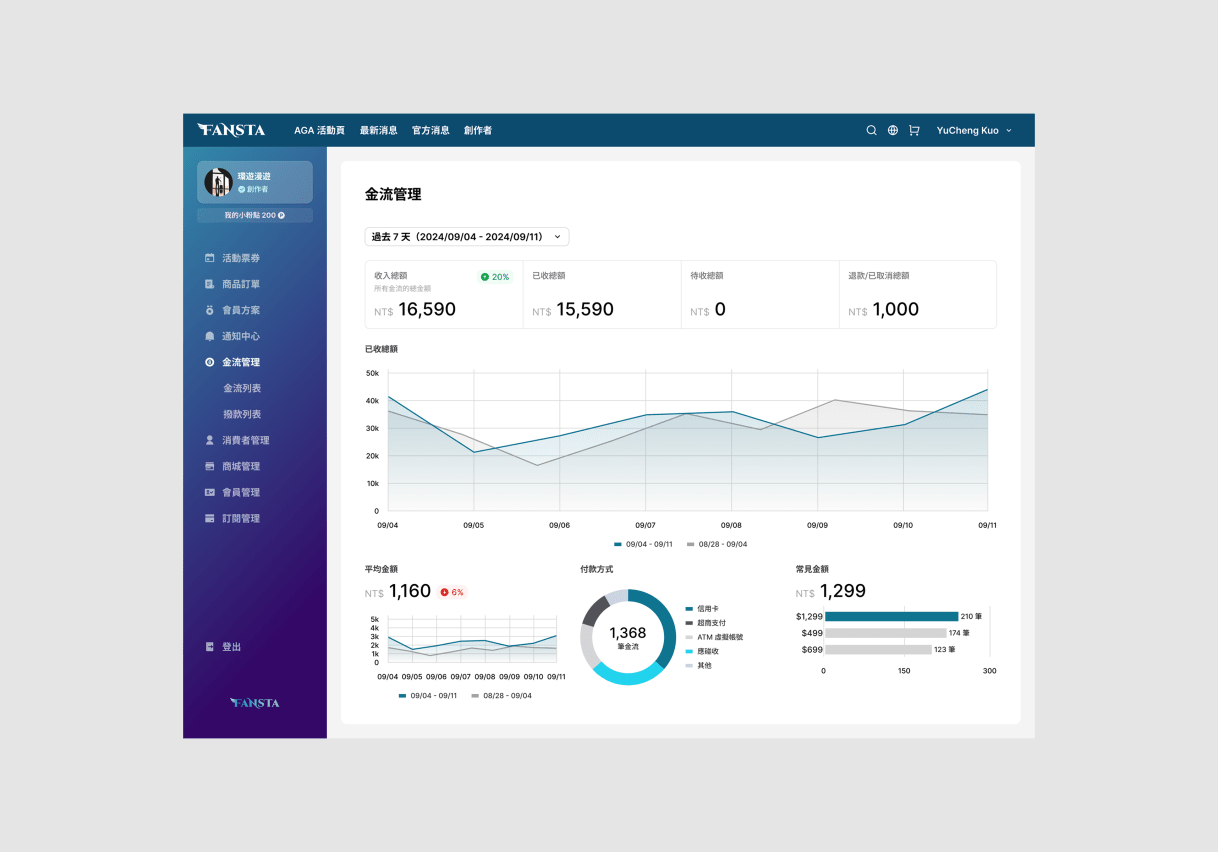
Creator payment dashboard with revenue summary and charts of total revenue, average amount and payment method
[→][Creator] Payment dashboard
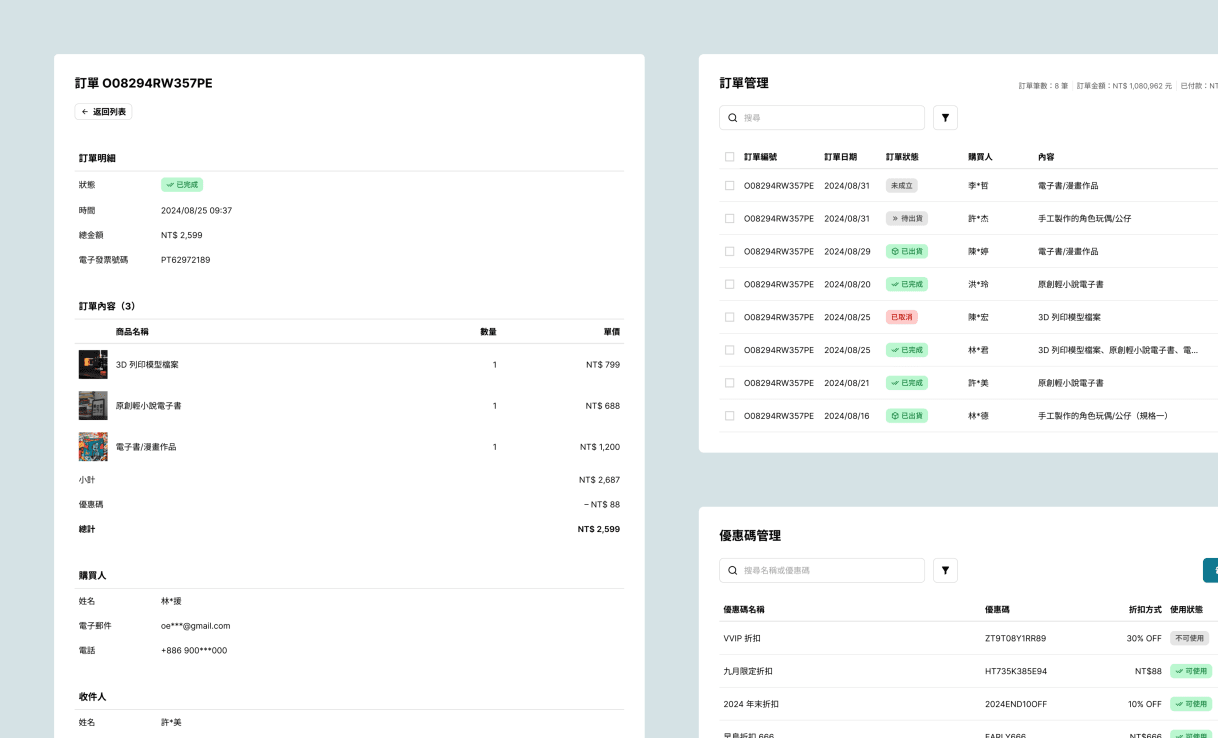
Three interface cards showing order detail and coupon code management for creators
[→][Creator] Order (L + ↗) and coupon code table (↘)
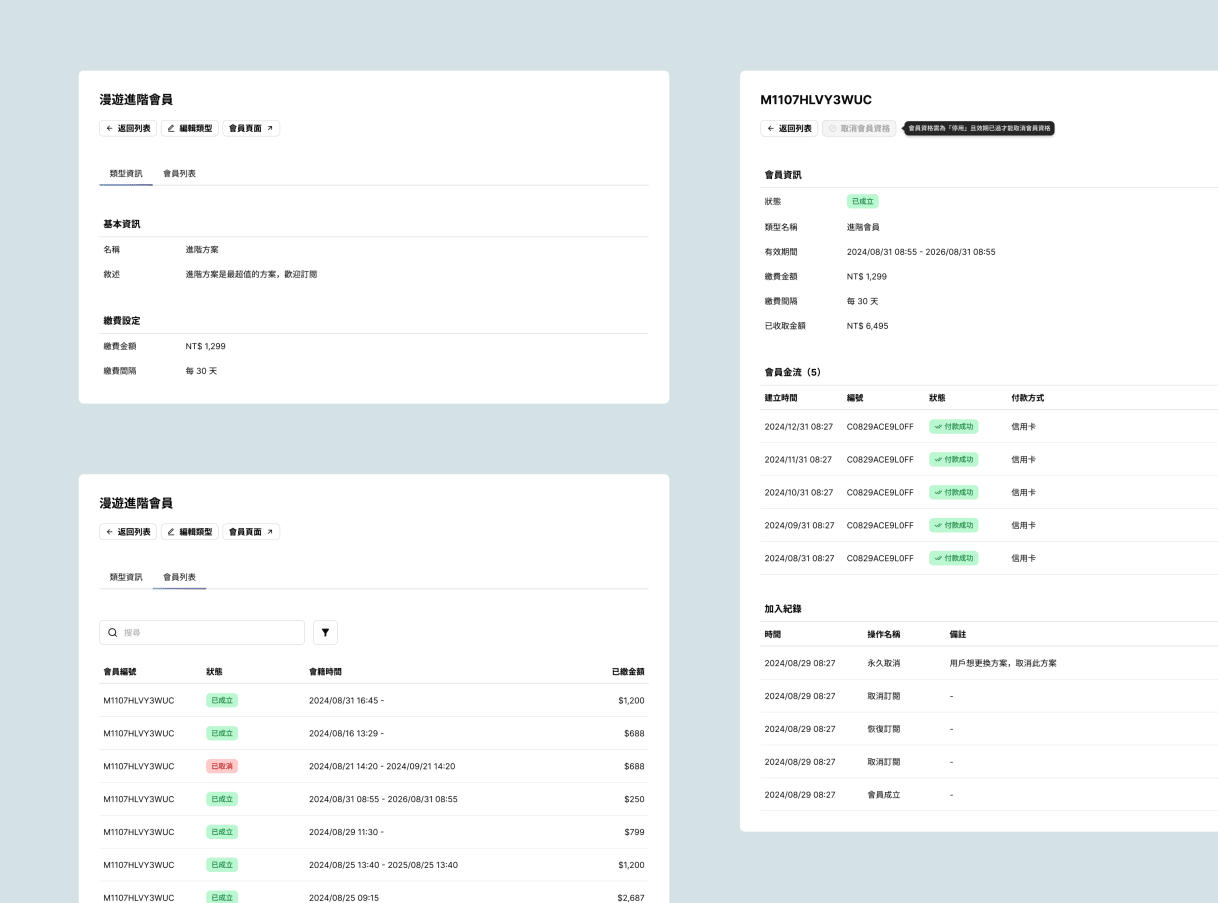
Three interfaces, two showing memberships setup with name, description, payment details and list of the members, one showing member details with member info, payments and history
[→][Creator] Memberships detail (↖) and member list (↙), member details (R)
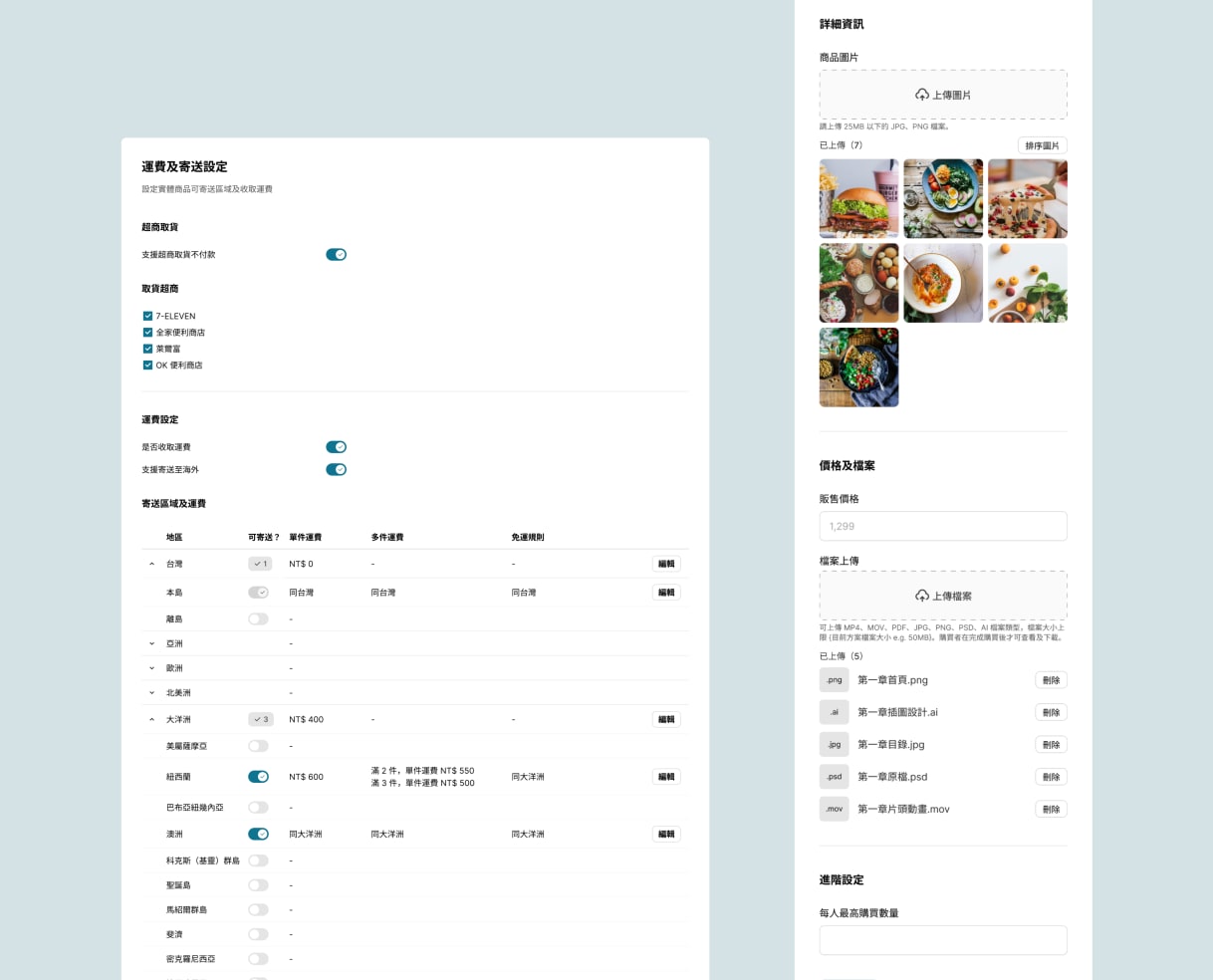
Two interfaces, the left is setting panel for shipping method and fees, and the right is product setup form
[→][Creator] Shipping fees (L) and product details form (R)Shipping method, areas and fees. Product images, price, and the digital files to download after purchase
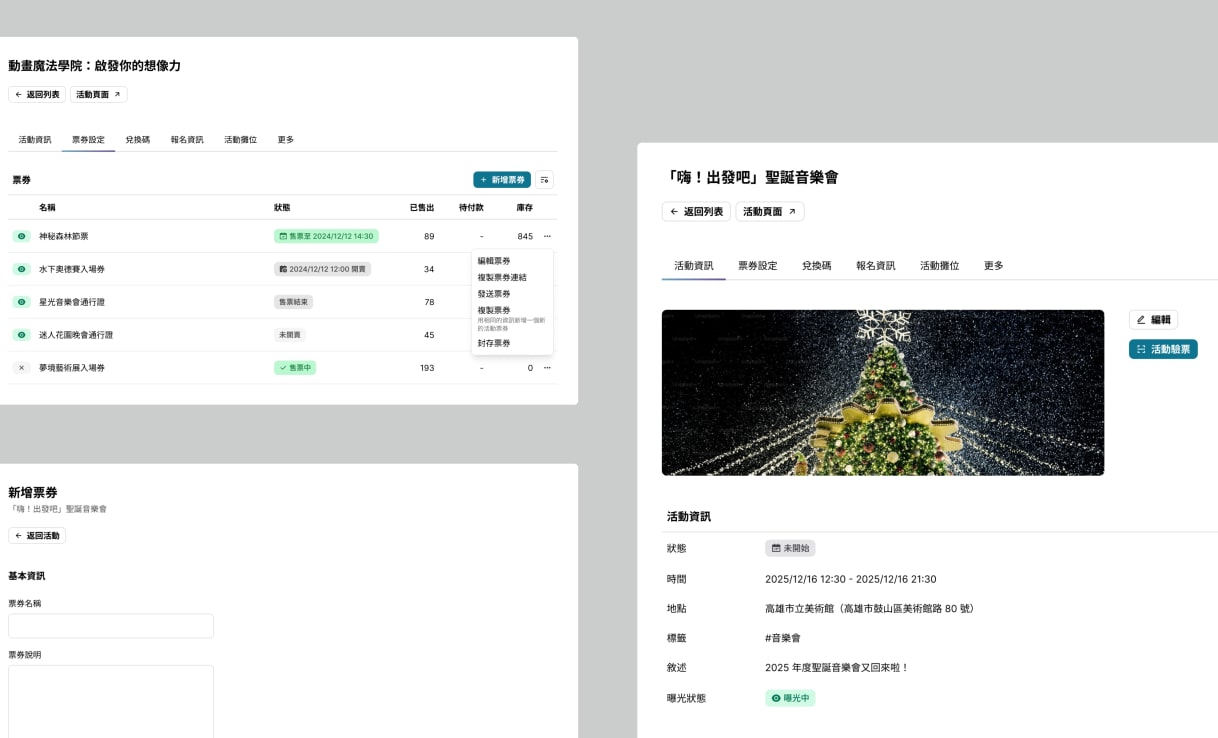
Three interfaces, two on the left are ticketing form to setup name, selling method and duration, one on the right is event page showcasing event details and tabs to other pages like ticket list, coupon codes, etc
[→][Admin] Ticket list (↙), form (↖) and event details (R)Ticket name, selling method and price. Event details and tab navigation to different event management page
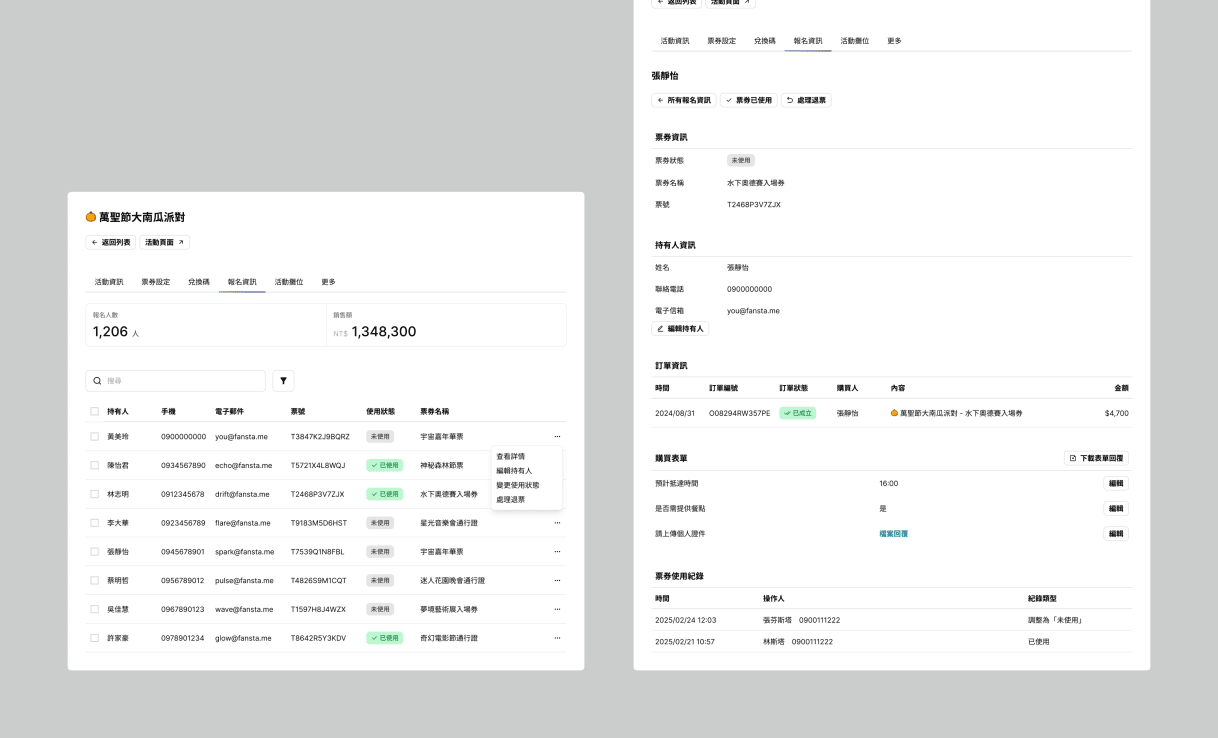
Two interfaces, the left one is attendee lists for the event, the right one is attendee details to manage status, participant info, refunding and usage history
[→][Admin] Event attendee lists (L) and attendee details (R)Admins manage participant info, ticket status, refunds, form responses, and ticket history
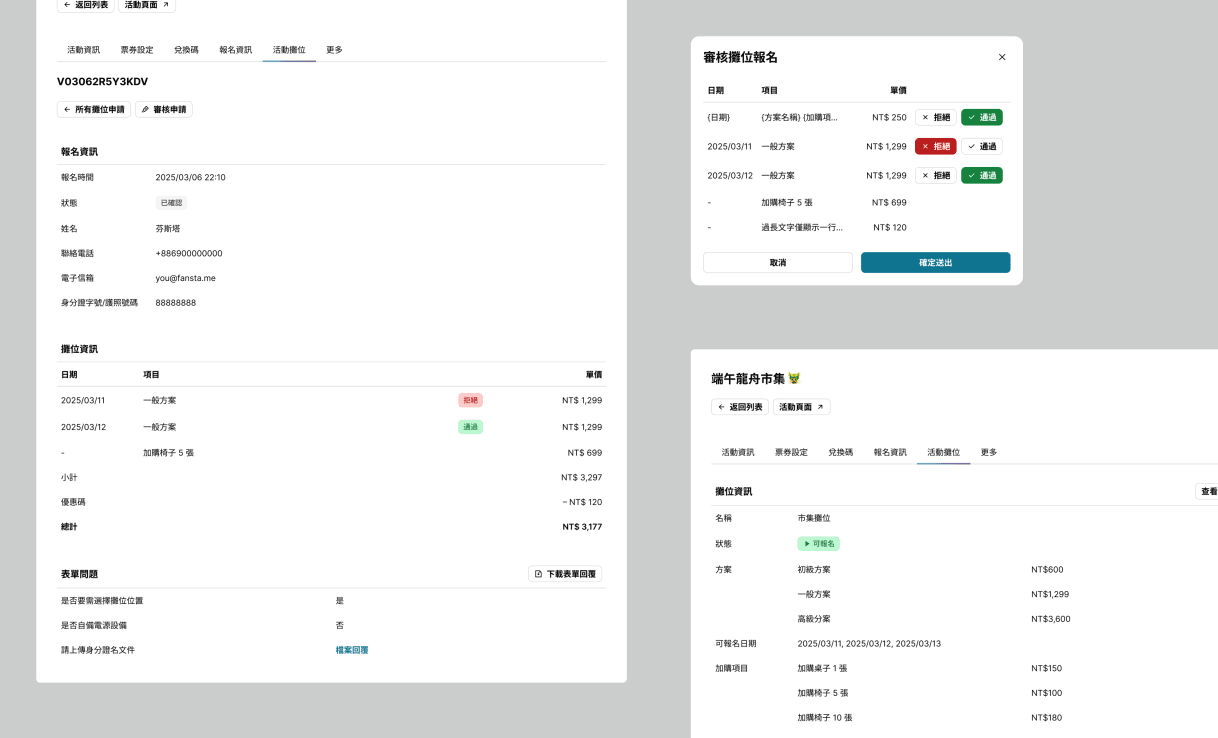
Booth hosting setup and application review
[→][Admin] Booth application review (L + ↗) and booth details (↘)Admins host events with booths where creators sell their work, and review booth applications

/ Updated at /

NCCU donation website

Next →